Artificial intelligence is coming to Odoo 19 — but concretely, what does it change for a business?
This new version does not alter your processes: it simplifies access to your information and makes it easier to leverage the data already available in your ERP.
Here is what the migration can truly bring you on a daily basis.
Odoo is already a comprehensive tool for managing a business: sales, invoicing, customer relations, and activity tracking.
Version 19 does not change the principle.
Above all, it improves everyday use.
Thanks to the integration of artificial intelligence, it is now possible to query data stored in the ERP system directly.
Users no longer only have access to menus and filters: they can ask questions about their activity and immediately receive a useful response.
Directly query its activity
The AI assistant allows you to ask questions about the company directly:
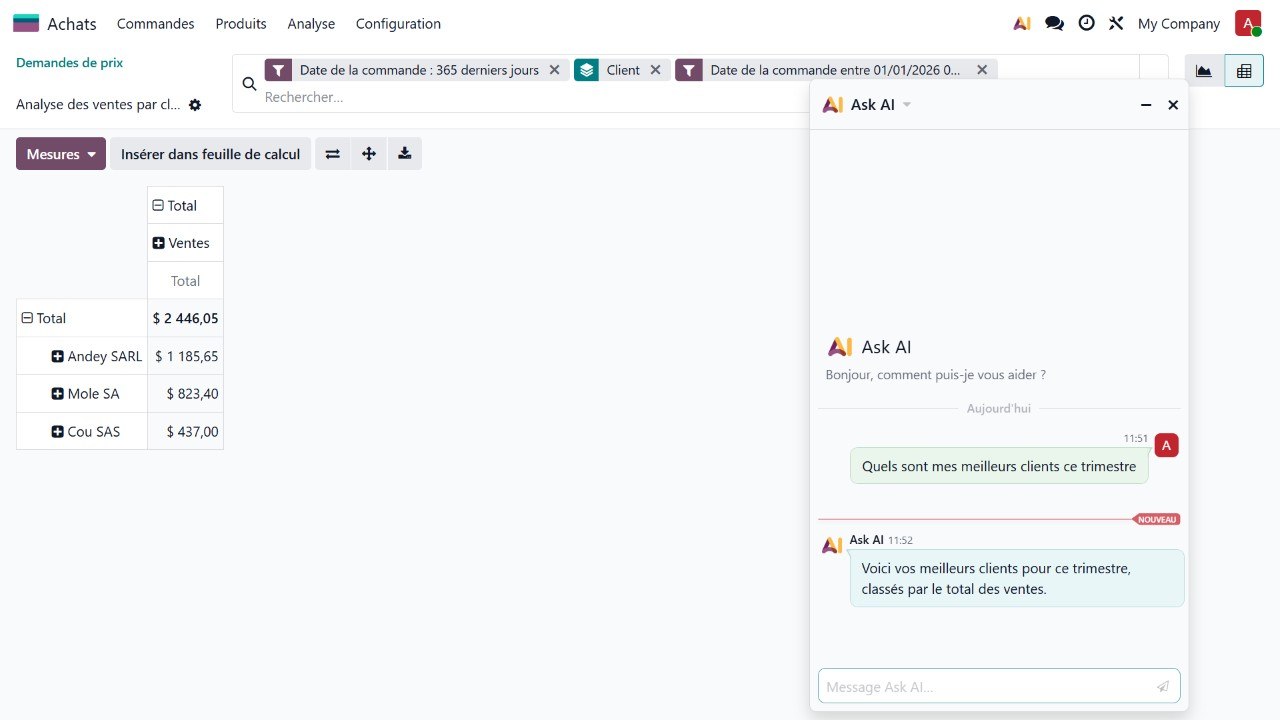
- Who are my best customers this quarter?
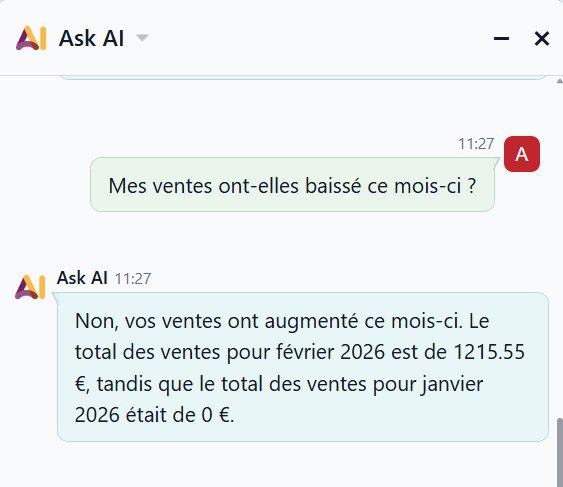
- Have my sales dropped this month?
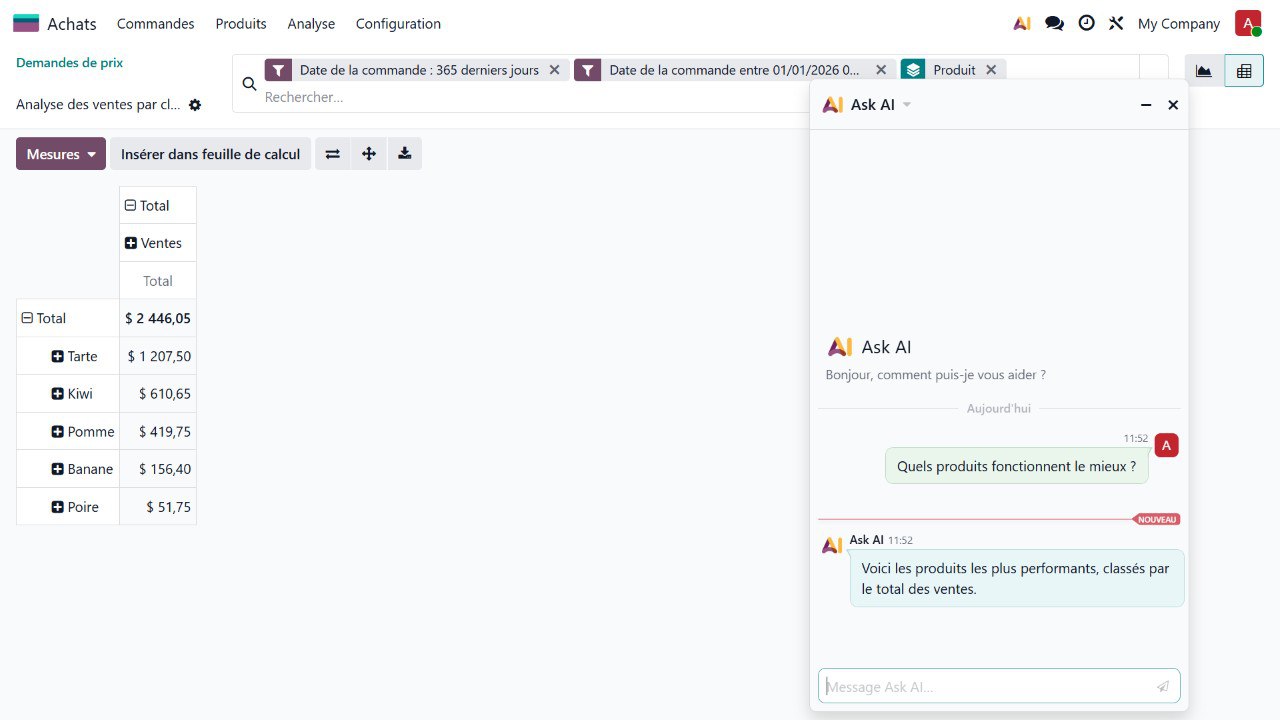
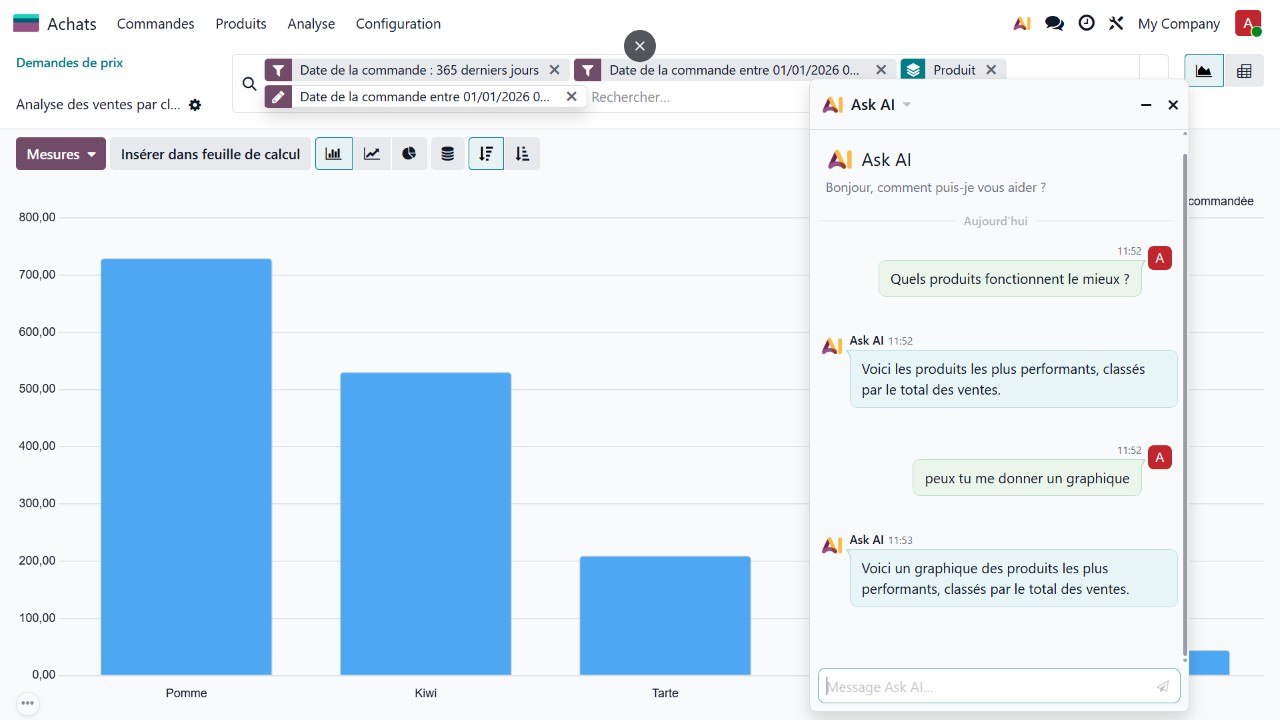
- Which products work best?
- How is my turnover changing?
Odoo automatically analyses information from sales, invoicing and CRM and provides an immediate response.
No need to build tables or navigate through multiple menus.
Much more than an analysis tool
Sales analysis is the most telling example, but it is only part of what AI enables in Odoo 19.
It can also:
- quickly retrieve information from the database
- summarise a customer's history
- assist in drafting messages or reminders
- facilitate the creation of commercial content
This makes the ERP easier to use on a daily basis.
And in your company, what could AI help you gain?
You are already using Odoo, but you are unsure whether your installation can benefit from these new features?
A quick check will often tell you whether migrating to version 19 is relevant and what it can really do for you.
Why consider migration now?
Until now, migrating Odoo mainly allowed you to stay up to date.
With version 19, the appeal is different: staying on an older version means continuing to perform searches and analyses manually that AI can now provide instantly.
Migration therefore brings noticeable gains in everyday use from the very first days.
Are you already using Odoo?
Migrating to version 19 is sometimes easier than you might think.
Preparing for your Odoo migration
Migration depends mainly on:
- modules used
- any customisations
- data quality
A preliminary analysis generally allows for a quick assessment of complexity and helps to avoid difficulties.
In summary
Odoo 19 does not simply add an extra feature.
It introduces a new way of using ERP: you no longer just navigate through the software, you interact with it.
The AI assistant facilitates access to information, improves data utilisation, and simplifies everyday use.
Migrating to Odoo 19 is therefore less of a technical update and more of an evolution in business management.